Autonomous End-to-End PCB Design
An experiment to have Claude Code autonomously design and order PCBs from start to finish, with zero manual commits to the repo.
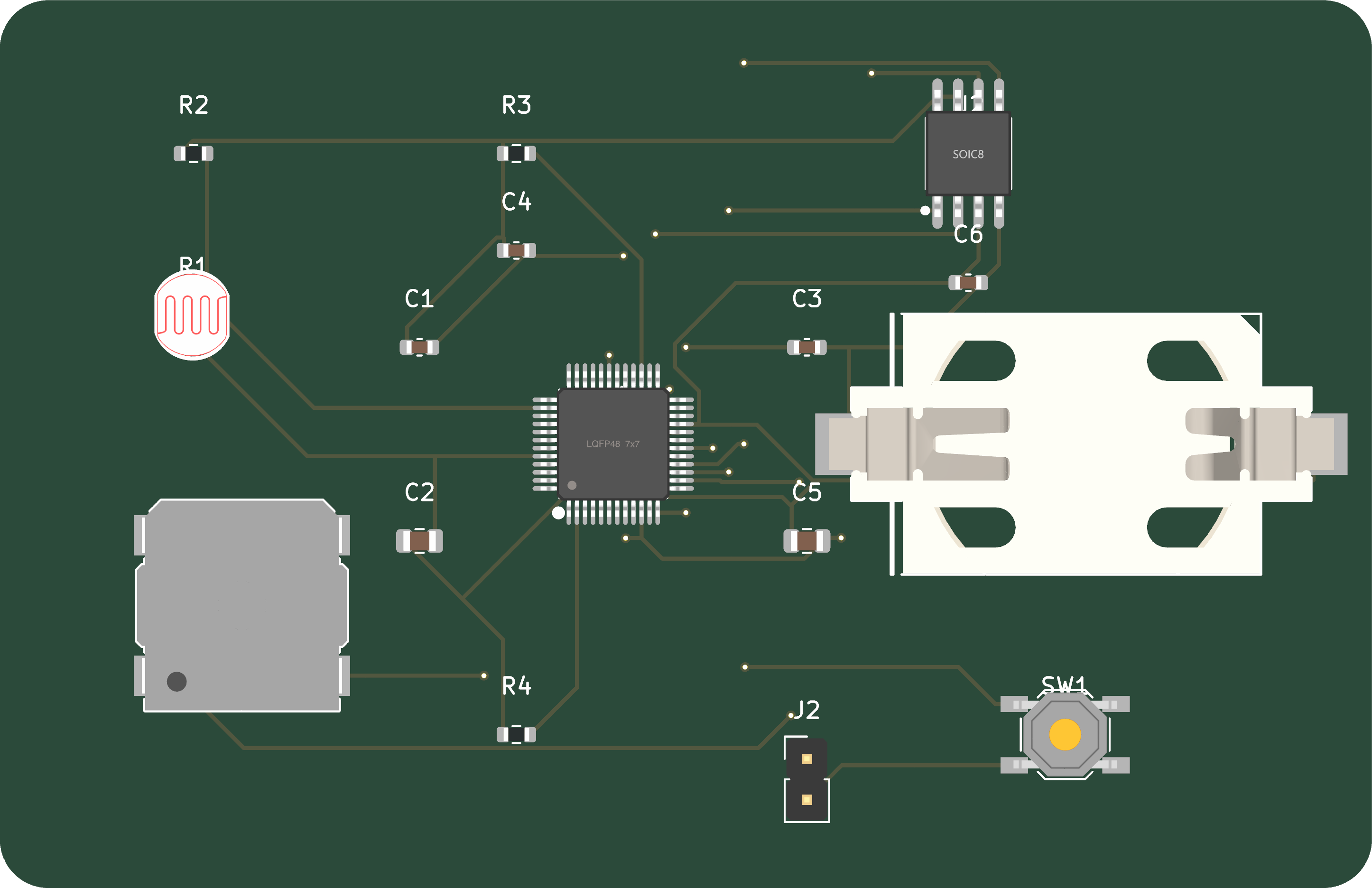
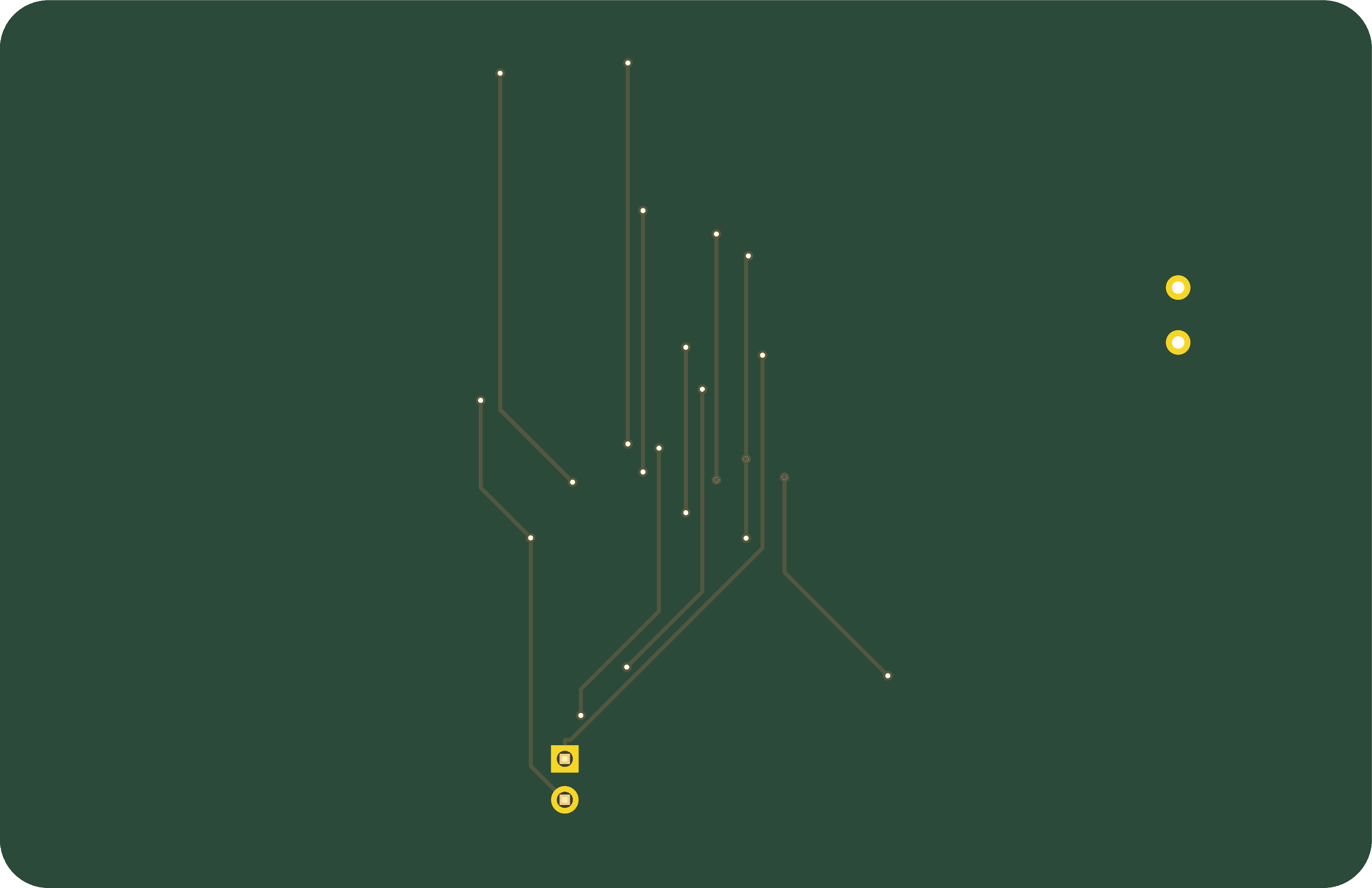
3D Board Renders (Routed)
Overview
This project explores autonomous PCB design using AI. Given project requirements, Claude Code researches components, designs schematics, creates PCB layouts, runs DRC checks, and generates fabrication files — with minimal human intervention.
The first target: a singing birthday card module powered by a CR2032 battery that plays MP3 audio when triggered.
Claude Code PCB Workflow
What Works Well
| Task | How It's Done |
|---|---|
| Component Research | Web search, LCSC catalog lookup, datasheet reading |
| Schematic Generation | Python script generates KiCad 9 schematic with embedded symbols |
| Symbol Creation | Programmatic IC/2-pin/4-pin symbol generation with proper pin layouts |
| Label Orientation | Solved via justify left/right rules based on angle |
| DSN Export | KiCad's bundled Python (pcbnew.ExportSpecctraDSN) |
| Autorouting | FreeRouting via CLI with Java 21 |
| SES Import | KiCad's Python (pcbnew.ImportSpecctraSES) |
| DRC Check | kicad-cli pcb drc |
| Gerber Generation | kicad-cli pcb export gerbers/drill/pos |
| 3D Renders | kicad-cli pcb render |
Limitations & Workarounds
| Limitation | Workaround |
|---|---|
| No DSN export in kicad-cli | Use KiCad's bundled Python: /Applications/KiCad/KiCad.app/Contents/Frameworks/Python.framework/Versions/3.9/bin/python3 |
| pcbnew not in system Python | Must use KiCad's bundled Python, not system Python |
| FreeRouting needs Java 21 | Install via brew install openjdk@21, use full path to Java |
| KiCad footprint libraries not found | DRC warnings only; footprints are embedded in PCB file |
| Manual PCB layout still needed | Component placement is manual in KiCad (for now) |
| ERC/DRC silk warnings | Minor cosmetic issues, not functional |
Key Commands
# Export DSN (using KiCad's Python)
/Applications/KiCad/KiCad.app/Contents/.../python3 -c "
import pcbnew
board = pcbnew.LoadBoard('singingcard.kicad_pcb')
pcbnew.ExportSpecctraDSN(board, 'singingcard.dsn')
"

# Autoroute with FreeRouting
/opt/homebrew/opt/openjdk@21/bin/java -jar freerouting.jar \
  -de singingcard.dsn -do singingcard.ses -mp 10

# Import routed SES
/Applications/KiCad/KiCad.app/Contents/.../python3 -c "
import pcbnew
board = pcbnew.LoadBoard('singingcard.kicad_pcb')
pcbnew.ImportSpecctraSES(board, 'singingcard.ses')
pcbnew.SaveBoard('singingcard.kicad_pcb', board)
"

# DRC check
kicad-cli pcb drc --output drc.json --format json board.kicad_pcb

# Generate Gerbers
kicad-cli pcb export gerbers --output gerbers/ board.kicad_pcb
kicad-cli pcb export drill --output gerbers/ board.kicad_pcb

# Render 3D images
kicad-cli pcb render --side front --width 1200 board.kicad_pcb
Generalizing to Other PCB Projects
Schematic Generation Pattern
The Python schematic generator (create_schematic_v5.py) can be adapted:
- Define components with name, value, footprint, pin count, position
- Define nets as connections between (ref, pin) pairs
- Generate embedded symbols for ICs (N-pin) and passives (2-pin)
- Place global labels at pin positions with correct orientation
Label Orientation Rules
For KiCad 9 global labels with (shape input):
| Label Angle | Direction | Justify |
|---|---|---|
| 0 | Right | left |
| 90 | Down | right |
| 180 | Left | right |
| 270 | Up | left |
Rule: Labels extending left or down use justify right; labels extending right or up use justify left.
Skill File
The workflow is documented in a Claude Code skill at ~/.claude/skills/kicad-schematic/SKILL.md for reuse in other projects.
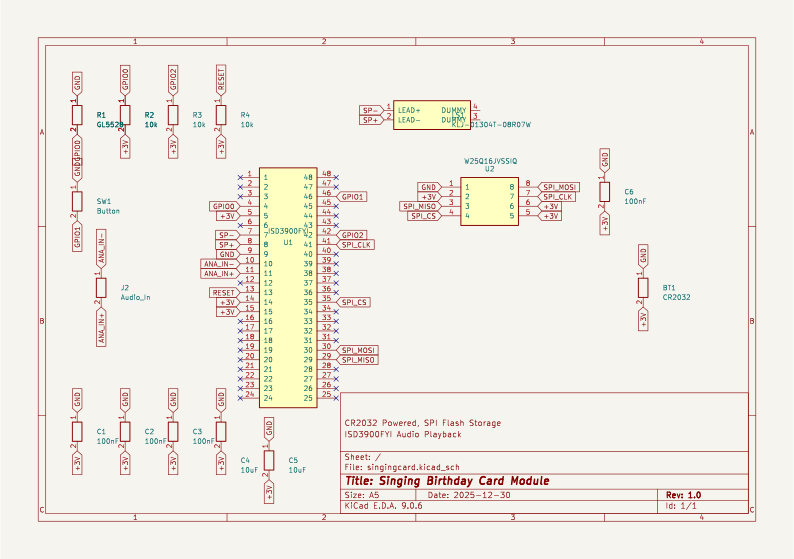
Schematic
Specifications
| Parameter | Value |
|---|---|
| Power | CR2032 coin cell (3V) |
| Audio IC | ISD3900FYI |
| Flash | W25Q16 SPI (2MB) |
| Trigger | Light sensor / Button / Pull-tab (jumper selectable) |
| Board Size | ~85x55mm |
| Target Cost | <$3/unit |
Status
- Component research and selection
- Schematic design (Python generator)
- PCB layout
- Autorouting (FreeRouting)
- DRC check (0 unconnected nets)
- Gerber generation
- Order from JLCPCB
- Publish Claude Code plugin
Claude Code Plugin (In Development)
A Claude Code plugin is being developed to package this workflow for easy installation and reuse. The plugin will include:
- 11 interconnected skills covering the full PCB lifecycle (init, requirements, system design, components, schematic, layout, DFM, manufacturing, test)
- Review gates modeled after NASA/DoD systems engineering (SRR, PDR, CDR, PRR)
- Auto-updating tool research — scripts that automatically research the latest versions of KiCad, FreeRouting, JLCPCB APIs, and component libraries, then update the skill instructions accordingly
- Self-maintaining documentation — the plugin will periodically verify that commands, paths, and workflows still work with current tool versions
Once published, installation will be as simple as: